
Imprint: The content of this blog entry is based on VR experiments in the context of the Biennale 4D project that were carried out in the scope of the authors masters degree studies at FHNW University of Applied Sciences and Arts Northwestern Switzerland under the supervision of Prof. Dr. Doris Agotai.
In a previous post the challenges of displaying 2D objects within a 3D space were discussed and texture mapping was introduced as a possible approach to display archival photos within an immersive VR experience. In this article insights gained on this matter through further experiments are shared. One of the most common practice for this purpose is placing pictures on billboards. Aspects such as the design of these billboards, their positioning, the reconstruction of observation points as well as the visual markers that guide the user to these viewpoints and last but not least the user interaction, that triggers the display of the additional content in the proper context, were investigated.
Aesthetics and functionality of billboards
Various experiments were made to find an adequate visual expression for billboards fitting with the chosen aesthetics of the virtual environment. In addition to the prevelant billboards, that merely consist of a plane or thin object in the size of the image which then is applied to its surface as a texture, different styles were tested such as semiopaque billboards or billboards surrounded with a frame matching the grid aesthetics of the virtual environment [see figures 5 and 8]. Also questions concerning the interaction with the billboards were examined, for instance if a billboard should be visible at any time or only when an user is positioned within proximity of an adequate observation point of this artefact. And if so, whether it should appear instantly, fade-in over time or emerge by the means of another transformation. These considerations resulted in the following concept for the display of the billboards: when a user approaches the specified viewpoint (technically speaking if he enters into a given perimeter of the precise position), it triggers a slow fade-in transition of the artefact and reversely the item disappears by the inverse operation, when the user moves away from this position. In case of the experiments with framed billboards though, this surrounding structure remains visible at all times having an indicative value for stimulating the user’s interest to further explore the area and discover the supplementary content provided [see figures 4 and 7]. Aspects like interaction radius and transition time of this feature were evaluated through user testing.
Reconstruction of original artefact position
In order to provide the best immersion experience to the user, the archive photo needs to be seamlessly integrated into the scene [see figures 2 and 9]. The prerequisite for this envisaged blend between artefact and virtual environment is two-fold: on one hand side, the image needs to be placed in the right position and on the other hand, the user needs to observe the experiment from the correct position, which is precisely the viewpoint from where the image was originally taken. It is crucial that vanishing lines and horizon in the shot are matching with the perspective lines of the building and that distance, scale and angles are fitting. Some approaches tested in our experiments to this effect include the attempt to reverse engineer the perspective by calculating vanishing points, camera height and scale [1]. However the attempt to reconstruct the correct position turned out to be a rather complex procedure and some parameters like the focal distance of the camera lens used for the original photograph had to be estimated. As a matter of fact, the authors of the paper “Tour into the picture: using a spidery mesh interface to make animation from a single image” state in the context of a similar endeavour as a precondition for an input image to be regenerated from a sence model, that the virtual camera position in 3D space is known [2]. The same requisite applies to the integration of an image into an existing scene. Another approach for the positioning was to test the photo matching feature provided in the software Sketch Up [3]. Both attempts did not render satisfactory results.
Eventually the visual approach of approximating the original position with the support of some self-made helper functions, that allowed to reduce the opacity of the image while adjusting the location of the billboard, produced the best result for the reconstruction. This approach was also confirmed by Horry, Anjyo and Arai in the paper mentioned above. While, according to these authors, rigid approaches such as computer vision techniques are not always applicable to achieve the objective in this context, they state that “it is relatively easy for us to roughly specify the vanishing point by manually drawing guide lines for perspecitve viewing” and advise that “the best possible approach currently available to making animation from a single image therefore depends largely on the skill, sense, and eye of the animators.” [2]
Guiding the user to the viewpoint
Since showcasing complementary artefacts on billboards only adds value to the user experience if being observed from a particular position, the design decision was made to only display these artefacts when the user is within a given perimeter of the perfect location. Markers were added to the VR experience as a guiding tool to offer an indication to the user to look out for additional content in that area [see figure 1].
Many experiments were conducted regarding the functionality, visual design and interaction features of these markers. While particle systems, a technique frequently used in VR game physics using a large number of tiny graphic objects to simulate a certain kind of diffuse phenomena that was already introduced in the initial Biennale 4D Project, draw the users attention to a given spot, this effect was not suitable with the new rendering aesthetics. The pursuit of developing an appropriate visual expression for these markers followed an iterative process that lead to an extensive exploration of the solution space. This included experiments with a variety of subtile gradients and bands with stepwise increasing colour intensity around the epicentre, single and multiple stroke outlines in various colours and styles, both with and without supplementary text hints, experiments with flat textures as well as three-dimensional objects such as small cubes or cylinders. The latter experiment of modeling objects with a smooth circular shape turned out to be a rather challenging endeavour with the Unity game engine as well as with other tools such as Blender for example, because with the objective to optimise performance, by default 3D objects are reduced to the minimal number of polygon faces required. For an impeccable circle representation thought, the highest possible number of segments would be needed. Unity’s LineRenderer feature [4], programmatically added to the marker object at run-time, eventually turned out to be a great workaround to draw clean circular outlines around the markers [see figure 10].
Enhancing the viewpoint marker
When reconstructing the original viewpoints it became apparent that for many shots the camera lens must have been positioned above the eye level of the user. For this reason experiments were conducted with physical marker objects providing an elevated platform for the user to reach the exact hight level that would allow to observe the picture from the correct perspective [see figure 12]. In addition, step elements and ramps were introduced offering affordances that these platforms are walkable and inviting the user to climb up to these vantage points [see figure 11]. Although the result was a perfect viewpoint, that approach was rejected because these additional elements appeared as foreign matters within the virtual environment. This lead to the idea of implementing a lifting feature within the marker: in the moment the user steps onto the surface, he is steadily elevated until he reaches the proper level [see figure 6]. While the upward movement worked surprisingly well in regards to user experience, even though it technically violates the principle that the user should always have full control over his movements to prevent motion sickness, the lowering down movement caused discomfort to the test subjects. This lead to the middle-ground solution, where the user is slowly elevated as soon as he enters the specified region, yet is immediately lowered to the original hight level once he leaves the given area. Additionally, the marker changes its colour when the user enters the triggered space in order to provide a visual feedback to the user regarding his position [see figure 3]. This is particularly important to compensate the lack of full-body avatars.
The experiments conducted have shown that there are many factors that need to be considered in order to integrate archival artefacts in an immersive fashion within a virtual environment. The screenshots below offer an impression of the final outcome of the experiments.
Screenshots of Scenario 1
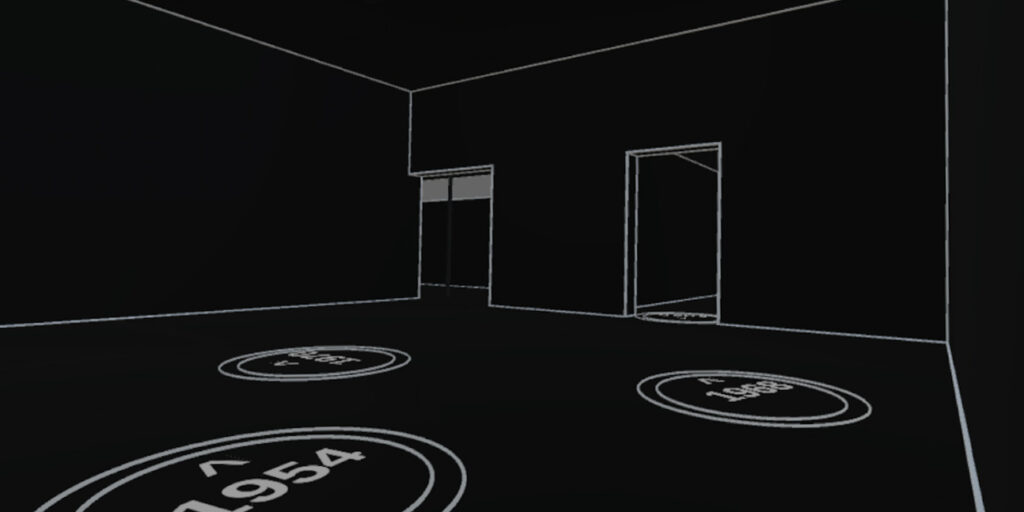
Figure 1: Experimental setting with multiple markers that indicate to the visitor where supplementary content can be observed.
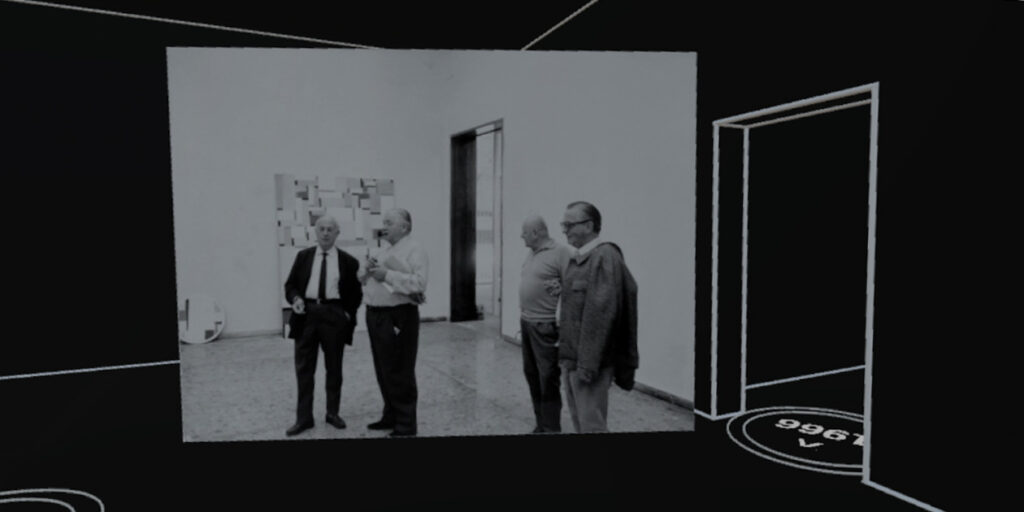
Figure 2: Experiment with plain billboard. A historic photograph is placed in the original position of the virtual exhibition space, however perspective is not perfectly fitting because the observation point is to low.
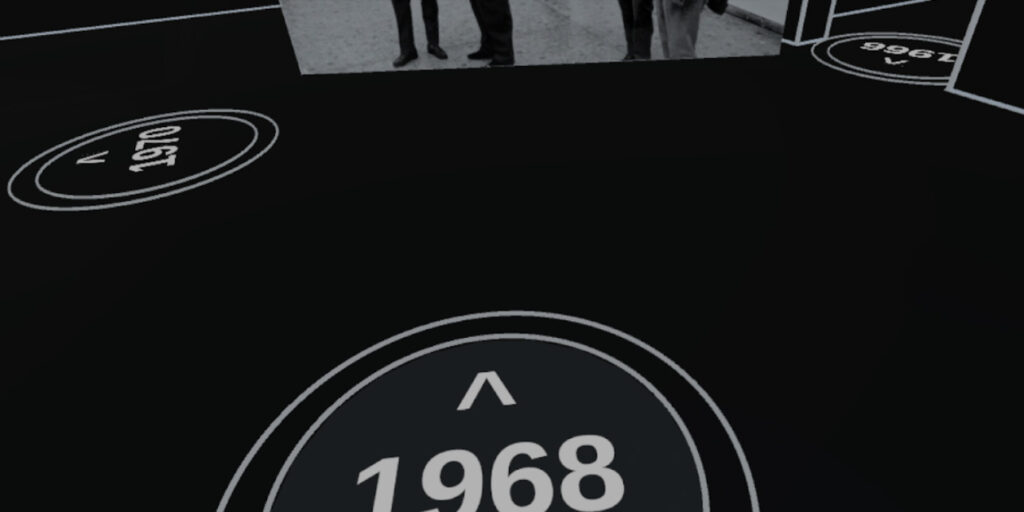
Figure 3: The marker changes its colour to provide the user with a visual feedback that his invisible avatar has entered the interaction radius of this viewpoint.
Screenshots of Scenario 2
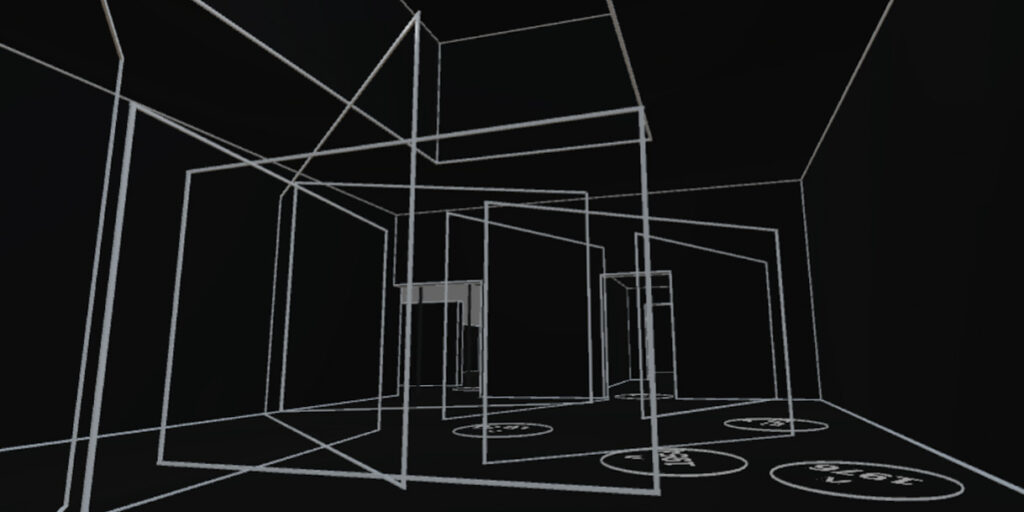
Figure 4: Experimental setting with frames as placeholder for the space where archival artefacts will be revealed upon user interaction.
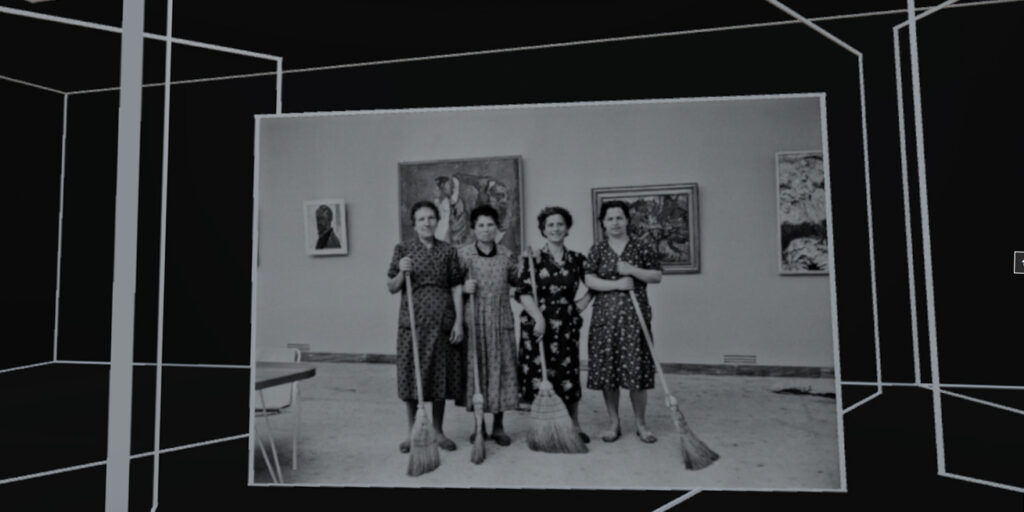
Figure 5: The placeholder frames in this scenario are matching the grid aesthetics of the virtual environment.
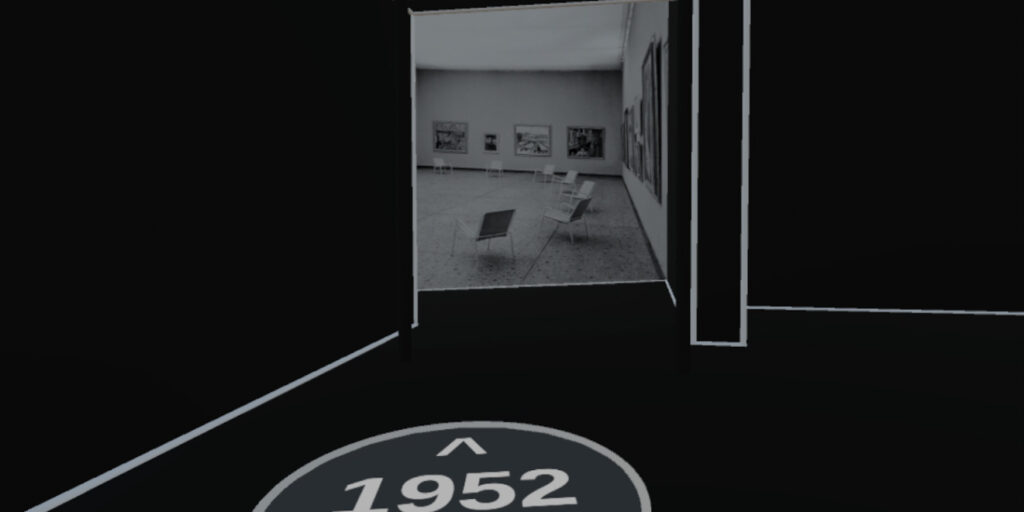
Figure 6: By the means of the lifting feature of the marker, the artefact blends perfectly into the scene, among other things vanishing lines are matching with the perspective lines of the grid.
Screenshots of Scenario 3
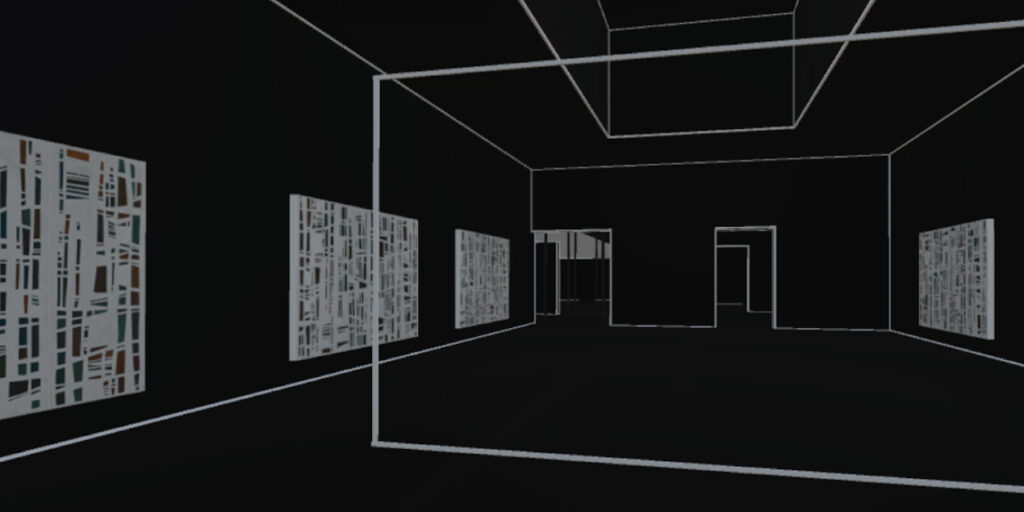
Figure 7: Experimental setting combining artworks with supplementary artefacts. The frame serves as a clue that there is more content to be discovered.
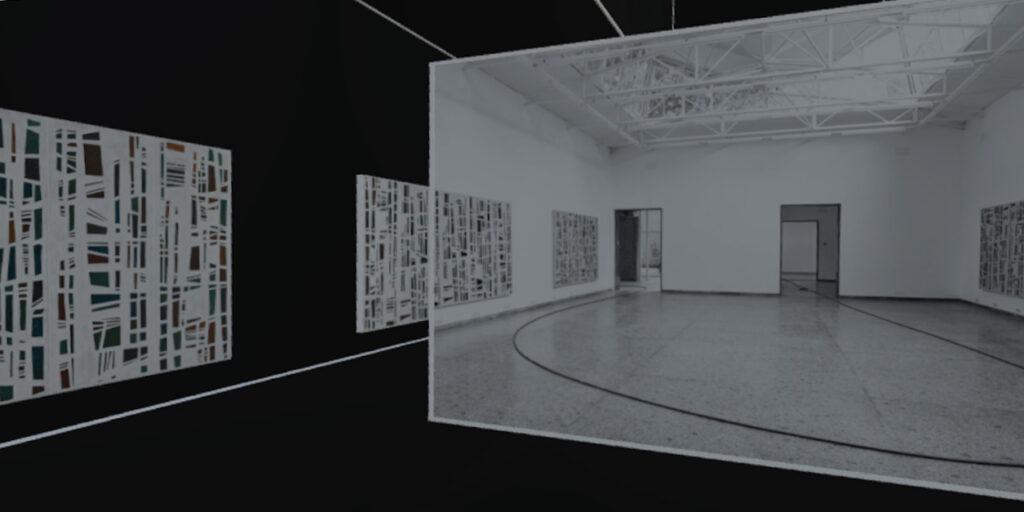
Figure 8: Experimental setting combining artworks with supplementary artefact embedded into the virtual environment.
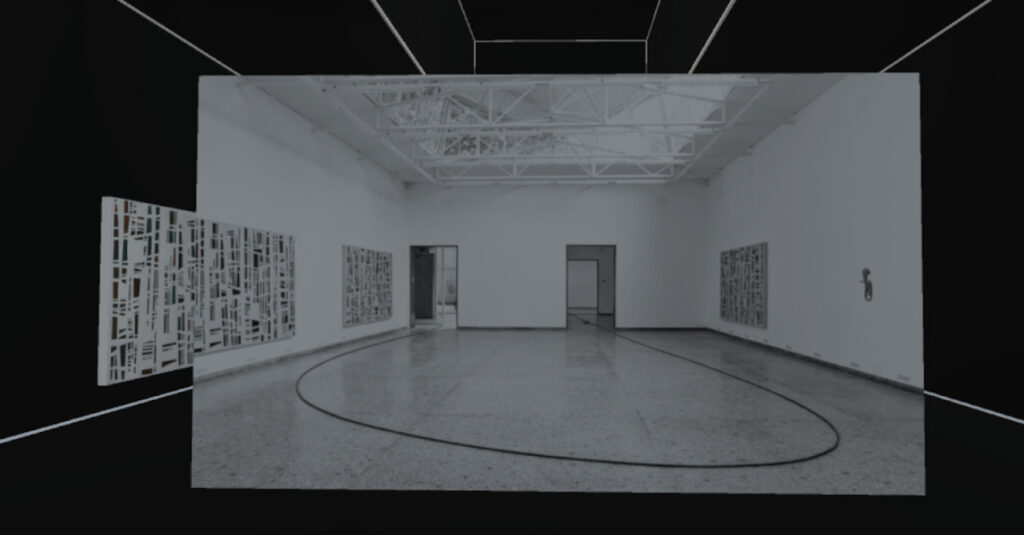
Figure 9: Variation of the experiment shown in figure 8, though without surrounding frame aorund the artefact.
additional Screenshots
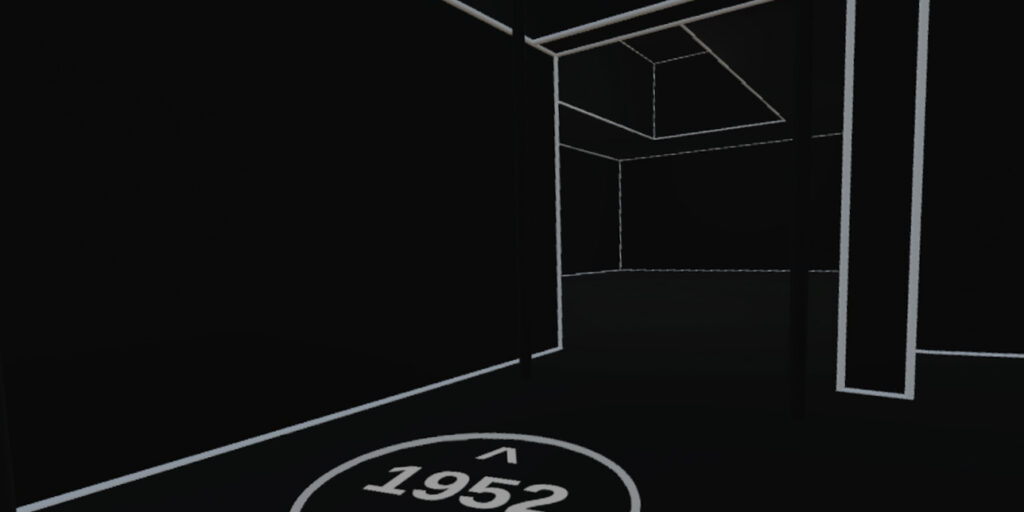
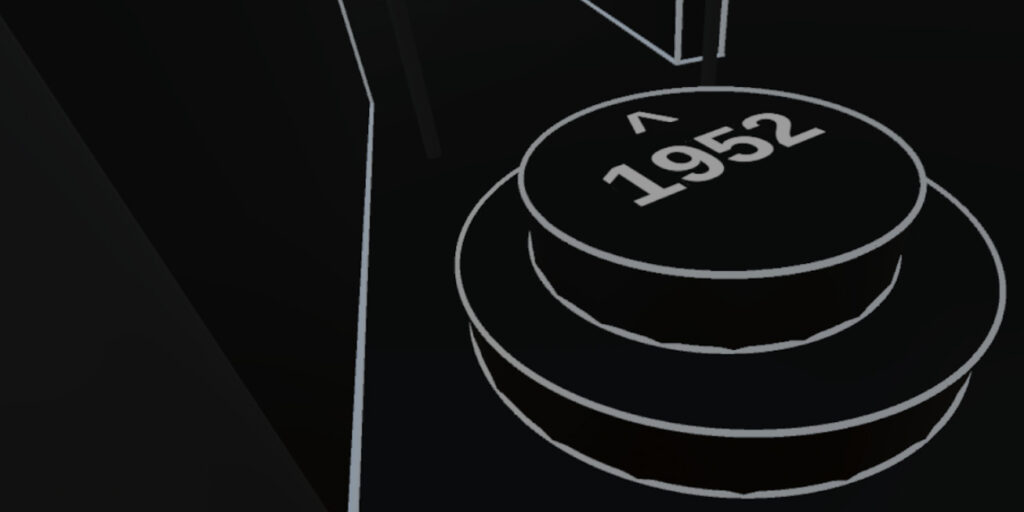
Figure 10: Basic marker indicating that additional content can be discovered in this area. Thanks to the application of a LineRenderer, the marker has a smooth outline.
Figure 11: Three-dimensional marker object with step as affordance indicating that this object is walkable.
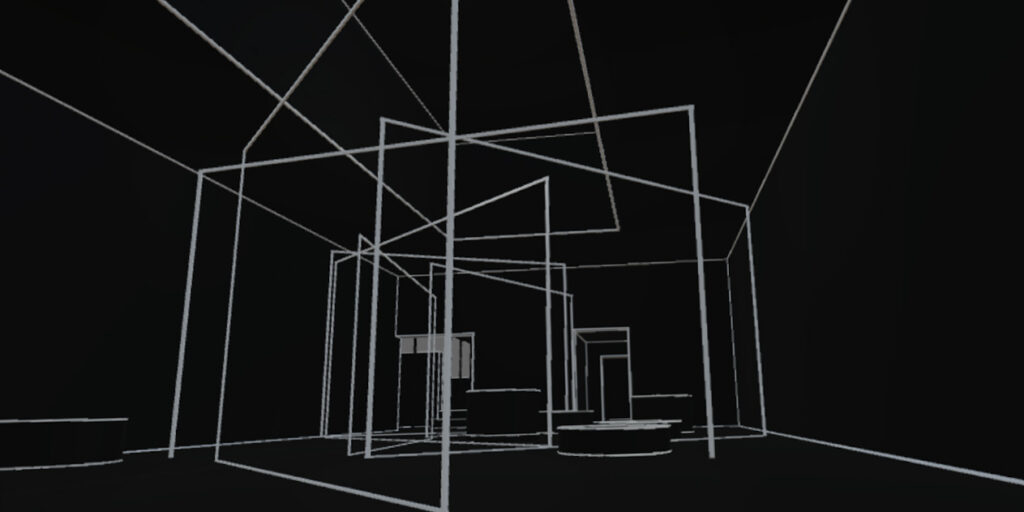
Figure 12: Scene with placeholder frames and three-dimensional markers, yet without steps. This experiment lead to the idea of introducing platforms with a lifting feature as marker points.
[1] Gozali, Faustinus Kevin: “Two-Point Perspective 3D Modeling from a Single Image: A Tour into the Picture Experience”.
[2] Horry, Y., Anjyo K.-I., Arai, K. (1997): “Tour into the picture: using a spidery mesh interface to make animation from a single image”, Proceedings of the 24th annual conference on Computer graphics and interactive techniques.
[3] Sketch Up: “Matching a Photo to a Model (or a Model to a Photo)”. URL: https://help.sketchup.com/en/sketchup/matching-photo-model-or-model-photo
[4] Unity Documentation: “LineRenderer”. URL: https://docs.unity3d.com/Manual/class-LineRenderer.html